
My AI-Assisted Portfolio Workflow

AI has definitely been having its main character moment over the last year.
Every other post is:
“AI is replacing designers!”
or
“I vibe coded this app with 20 credits only.” (Impossible, I know.)
Tech as a whole has gotten used to having a mini assistant available 24/7, and I’m no stranger to that either. But after spending the last week rebuilding my portfolio, I realized my workflow looks nothing like what people describe online.
Let me set the scene.
I get an unexpected call on my way home from work letting me know that my contract has ended, effective immediately. (We won’t get into that right now.)
I get home.
Call my mom.
Cry and scream for a bit.
Then immediately get to work.
The conversation in my head went something like this:
“Well... you wanted to upgrade. Here’s your chance.”
“Okay, let’s start applying to these UX jobs.”
“...Girl, your portfolio looks amateur as hell. Nobody’s hiring you with that.”
I had already planned on rebuilding my portfolio. I knew I wanted to move deeper into UX design, and my old portfolio just wasn’t telling that story anymore. I wasn’t in love with the layout, the flow felt awkward, and my case studies didn’t tell the right story.
First things first, I knew this portfolio had to be custom coded for two reasons:
I had just lost my job (again), and couldn’t justify paying Framer to host my portfolio.
I wanted complete freedom over the layout and interactions. Website builders are great until you want to do something they weren’t designed for.
But because I was suddenly racing against my own unemployment clock, I needed a way to move faster.
So it was me, Claude Pro, Figma, a dollar and a dream.
My workflow with AI looks less like endlessly prompting until something sticks and more like managing a junior developer.
Rather than jumping straight into building, I gave Claude my existing portfolio, walked it through everything I didn’t like, explained where I wanted to take it, and then let it ask me questions.
Who is this portfolio for?
What story are you trying to tell?
What do you want recruiters to remember after they leave?
Funny enough, these are the same questions I ask a client before kicking off a project.
Once I had clarity, it was time to gathering inspiration.
I found portfolio examples I liked, threw together a few rough mockups in Figma, picked my color palette, typography, and a lightweight design system so Claude had something to build from instead of making those decisions for me.
Then it generated the first version.
...
It was okay.
Not terrible.
Definitely not great.
The layout felt confusing, the hierarchy was off, and the user journey wasn’t nearly as obvious as I wanted it to be. And it was ugly.
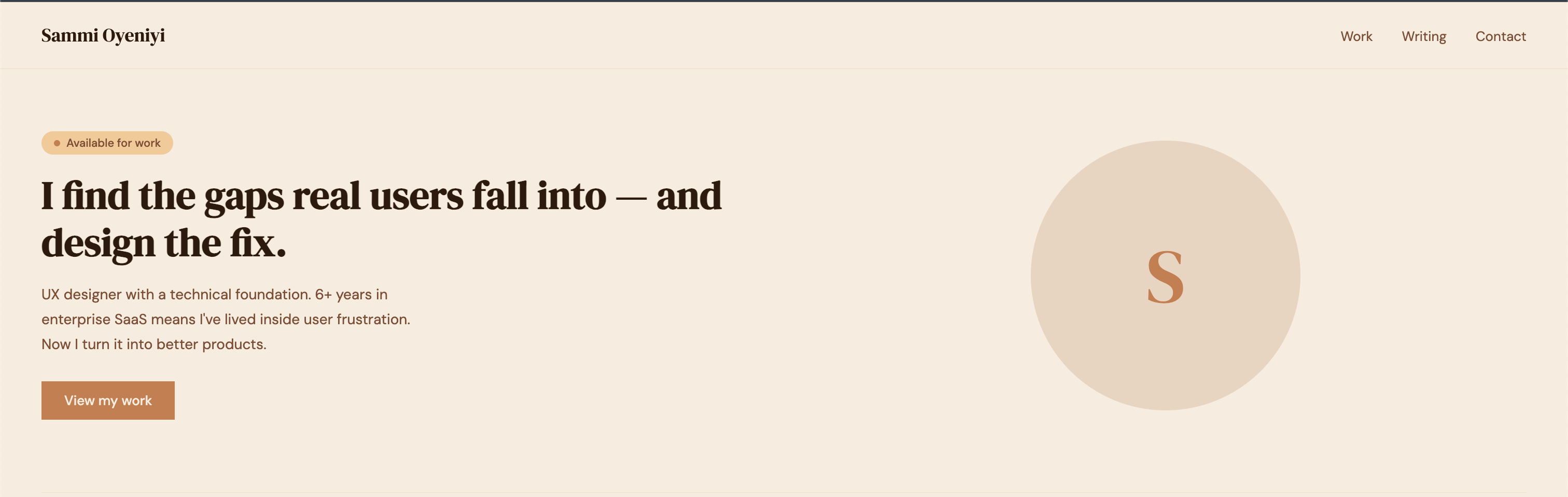
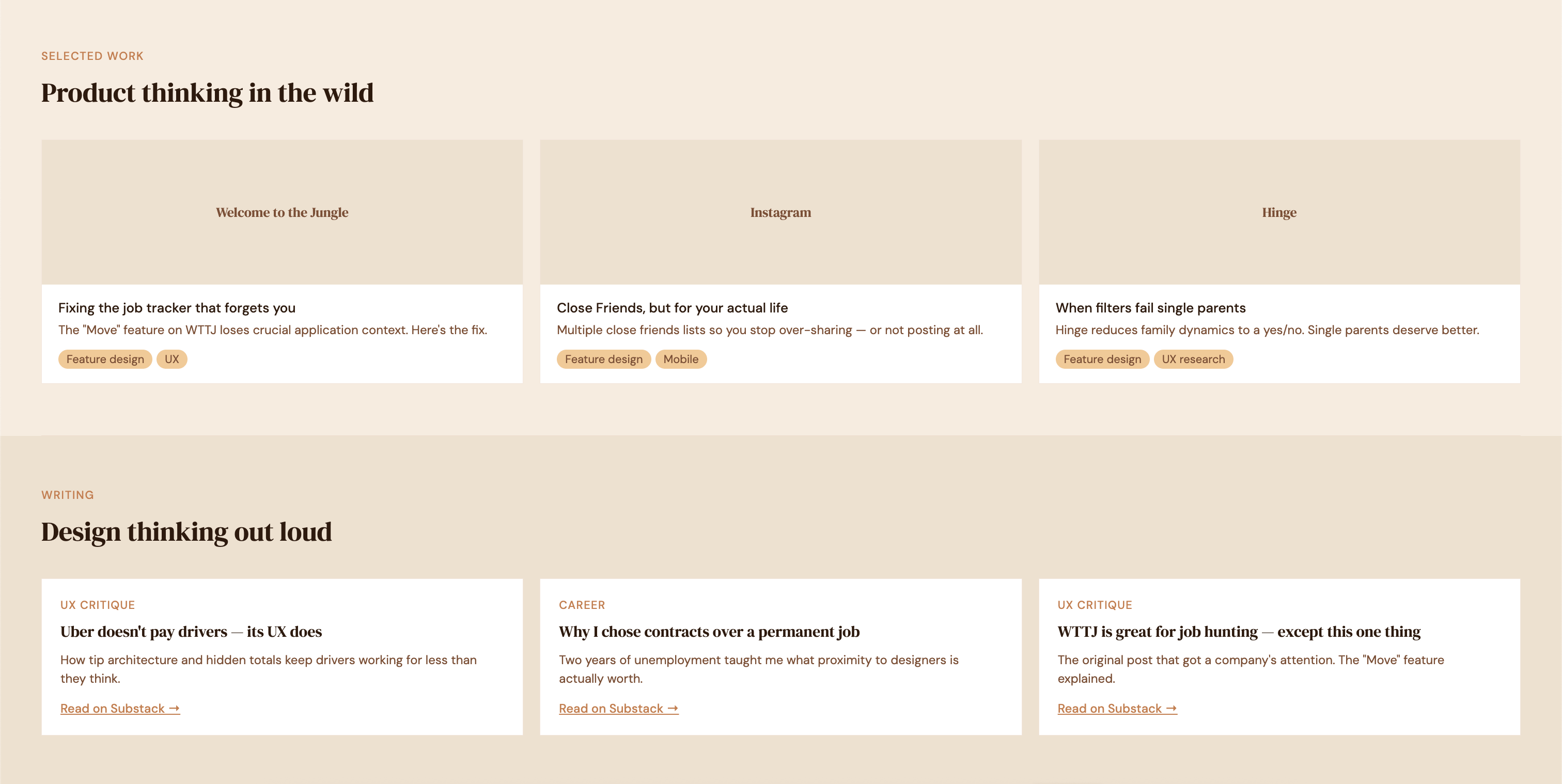
So instead of trying to prompt my way out of it, I went back to doing what I already know how to do.
I reviewed it.
Found the friction.
Made decisions.
Sent it back.
Repeated.
Some of the more intentional product decisions I made were:
Making my resume downloadable from multiple places so recruiters never had to hunt for it.
Moving my case studies directly below the hero because that’s what hiring managers came to see.
Adding an About section to the bottom so my work made the first impression instead of my background.
Separating my Bose work to showcase enterprise production experience beyond traditional UX case studies.
My biggest design principle is simple: don’t make people think harder than they need to.
I wanted that philosophy to come through in the portfolio itself.
When it came time to build the case study pages, I had Claude create a reusable template instead of generating each page individually. Every project needed slightly different content, but the structure stayed mostly the same. It was much faster for me to customize one solid template than rewrite prompts over and over again.
Knowing how to code also changed the way I worked with AI.
Instead of just telling Claude something was broken, I could explain the bug, identify what was causing it, and even describe how I wanted it fixed.
That made the iterations much faster.
Within a couple of days I had designed, built, and QA’d an entirely new portfolio, then spent the next few days refining the case studies and polishing the experience.
Now don’t get me wrong...
The code is messy.
😂
Your girl was in a rush.
Version one was about getting something strong enough to start applying for jobs.
Version two is about craftsmanship.
When I have a little more breathing room, I plan to refactor everything into React so I can use reusable components for things like the navigation and footer instead of updating every page manually. It’ll make the codebase cleaner, easier to maintain, and a lot easier to scale.
The biggest thing I learned from all of this is that AI didn’t replace any of the hats I had to wear.
I was still the designer making product decisions.
I was still the project manager deciding what got built next.
I was still the developer jumping into the code when something needed to change.
AI just happened to make the process way faster.
This same process was used to build myself a photography portfolio as well.
Turns out I didn’t just build two websites.
I built a process that I’ll probably keep using long after this portfolio is finished.
You can check them both out here: